
Doom 2 Online — Play Doom II in Your Browser
Turn the phone sideways. The stage fits better in landscape.
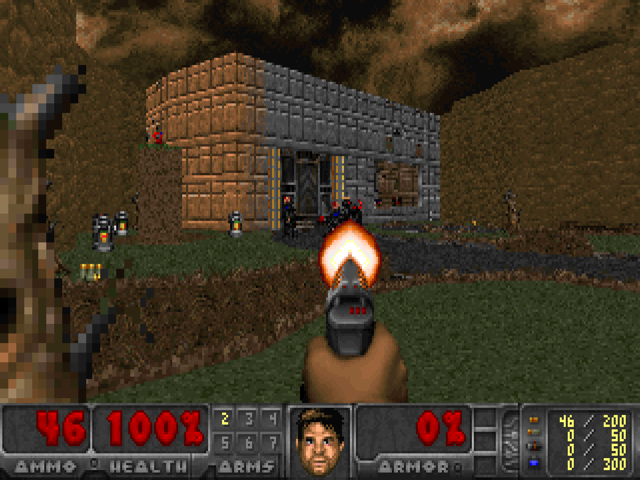
LOADING...
Loading...
| Key | Action |
|---|---|
| Click the picture once so the keyboard reaches the game. | |
| Arrow keys or WASD move, depending on the player menu. | |
| Fire, open, and run are listed in the player menu. | |
| Fullscreen is the button under the stage. | |
Freedoom Phase 2
Shooter
READY
- TITLE
- Doom 2
- ENGINE
- UZDoom (GZDoom family) on WebAssembly
- EPISODE
- Freedoom Phase 2
- LICENSE
- L1 free data self-hosted; L3 bring-your-own doom2.wad
- DATA
- Free and shareware data only. Your own game files are read in this browser and are never uploaded.
Where it comes from
Engine, game data and cover art are listed on the legal page. This is an independent fan project, not affiliated with id Software, Bethesda, ZeniMax, 3D Realms, or Apogee.
What loads
The page itself loads no game files. PLAY starts the download in the stage above; the browser keeps the files for the next visit.
C:\> TYPE README.TXT
How to play
What it is
Press Play and a Doom II-style game loads in this tab — no installer, no store, no account. Click the picture once so the keyboard reaches the game, then check the in-player menu for fire, open and run; the old DOS keys are a starting guess, but the menu decides. The bundled game is free Freedoom Phase 2; if you own Doom II, drop in your own doom2.wad to play the original campaign. Saves stay in this browser.
What you get when you press Play
The stage fetches our player and a complete game, then shows it in the same frame. Click the picture once to hand the keyboard to the game, and open the in-player menu for fire, open and run. A keyboard is the reliable way in; on a phone, turn sideways, use fullscreen, and expect on-screen controls where the player offers them. If the frame sits on LOADING, reload and press Play again — the first fetch is tens of megabytes.
Bringing your own doom2.wad
Own Doom II? After the player starts, drop the WAD into the page and the engine loads it over the bundled data. The file stays in your browser. It is not uploaded to Doshaven, we do not keep a copy, and clearing site data removes it. A Doom II megawad expects a Doom II base, so pair it with your own doom2.wad rather than with the Freedoom data.
Which game is bundled
The one-click start is Freedoom Phase 2, a free Doom-compatible game with its own maps and art. It is not the retail 1993 Doom II campaign. For what Freedoom is, why its licence lets us host it, and how it differs from the original, see the Freedoom page.
Controls and the mouse
Click the picture once so the keyboard reaches the game. Arrow keys or WASD move, depending on the menu inside the player, and the fire, open, and run actions are listed there too. Do not assume the old DOS layout until that menu agrees. Fullscreen is the button under the stage. On a phone, turn sideways; the player may offer on-screen controls.
Performance and saves
The first load fetches the engine and the data, which takes a few seconds on a fast line and longer on a slow one. After that the browser caches both. Saves stay in this browser if the player keeps them. Another browser, another device, or clearing site data drops them. Doshaven does not sync saves to an account, because there is no account.
How this fits the rest of the catalog
The Doom Browser page covers the 1993-style half of the engine with Freedoom Phase 1; this page covers the Doom II half. Two more DOS-era shooters sit alongside them: Duke Nukem 3D shareware and Wolfenstein 3D shareware, each with its own engine and its own free or shareware data.
C:\> TYPE FAQ.TXT
FAQ
Does Doom 2 need a download?
No installer or system files. Press Play and the browser fetches the engine and free game data into its cache — that first transfer is the only download. Bring your own doom2.wad to play the retail campaign.
Is this the original Doom II?
No. The one-click start is Freedoom Phase 2, the free Doom II-style data we serve. For what Freedoom is and why we can host it, see the Freedoom page. For the retail campaign, load your own doom2.wad.
Can I use my own doom2.wad?
Yes. Drop it into the player after it starts. It stays in this browser and is not uploaded to Doshaven. A megawad needs a Doom II base, so pair it with your own doom2.wad.
Can I play megawads?
Over your own doom2.wad, yes. A megawad needs a Doom II base game, so pair it with the retail WAD you own rather than the bundled free data.
Will my progress be saved?
Saves stay in this browser if the player keeps them. Clearing site data for the player removes them. Doshaven does not sync them.
C:\> DIR /GAMES
More games
Same lane, one click away. Every card is a page with a game that runs in this tab.-
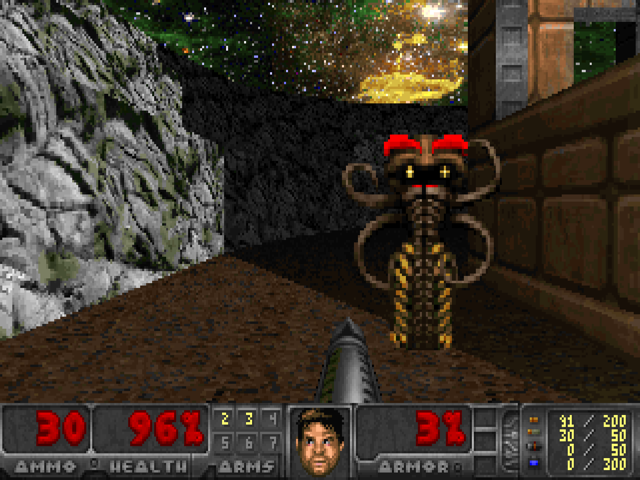 FREEDOOM
Doom Browser The 1993-side half: Freedoom Phase 1, or load your own Doom WAD. Freedoom Phase 1 · BSD 3-Clause
-
FREEDM
FreeDM Deathmatch maps for the same engine, free to serve and free to play. FreeDM v0.13.0 · BSD 3-Clause
-
FREEDOOM
Freedoom What the free data behind both Doom pages actually is. Freedoom Phase 1 · BSD 3-Clause
-
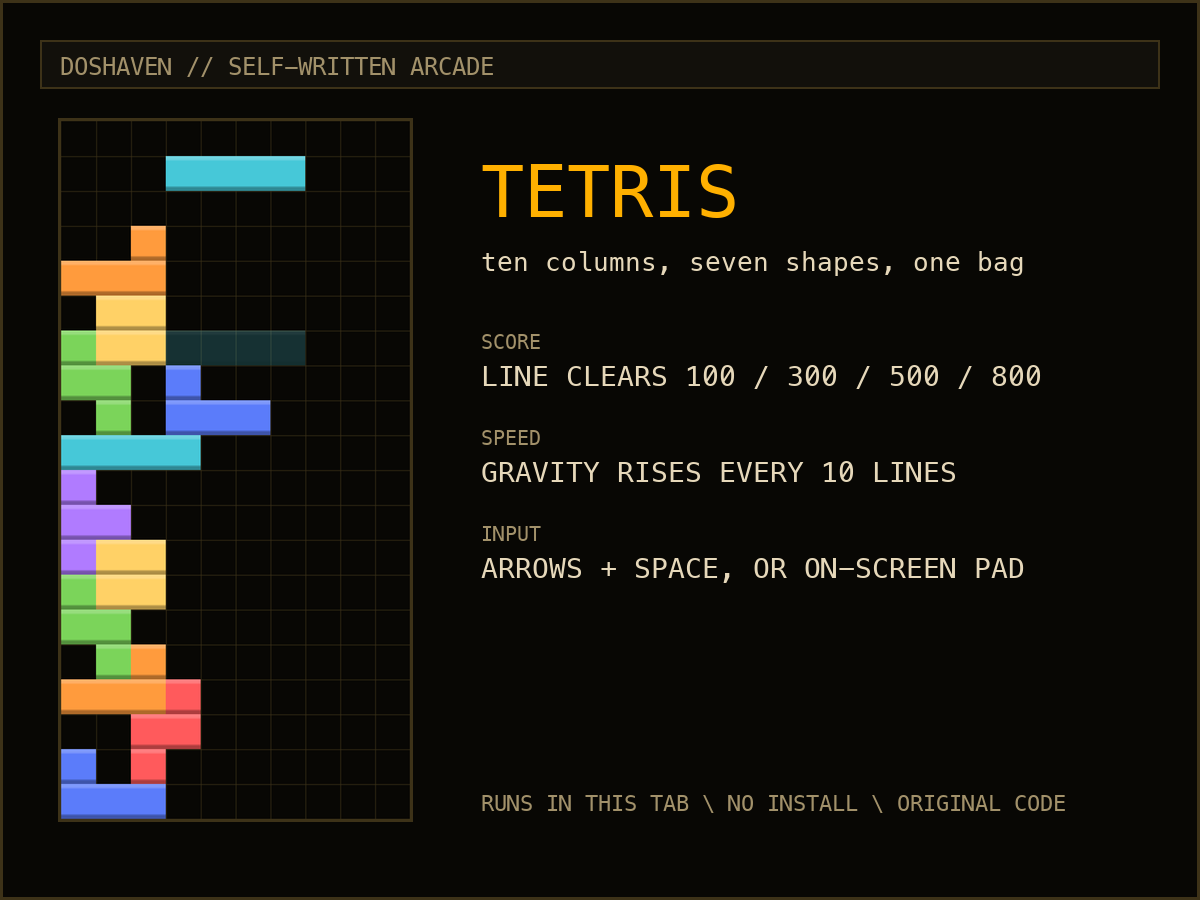 ORIGINAL
Tetris Ten columns, seven shapes, four-line clears — the other arcade shape on the site. Original code · runs in this tab
-
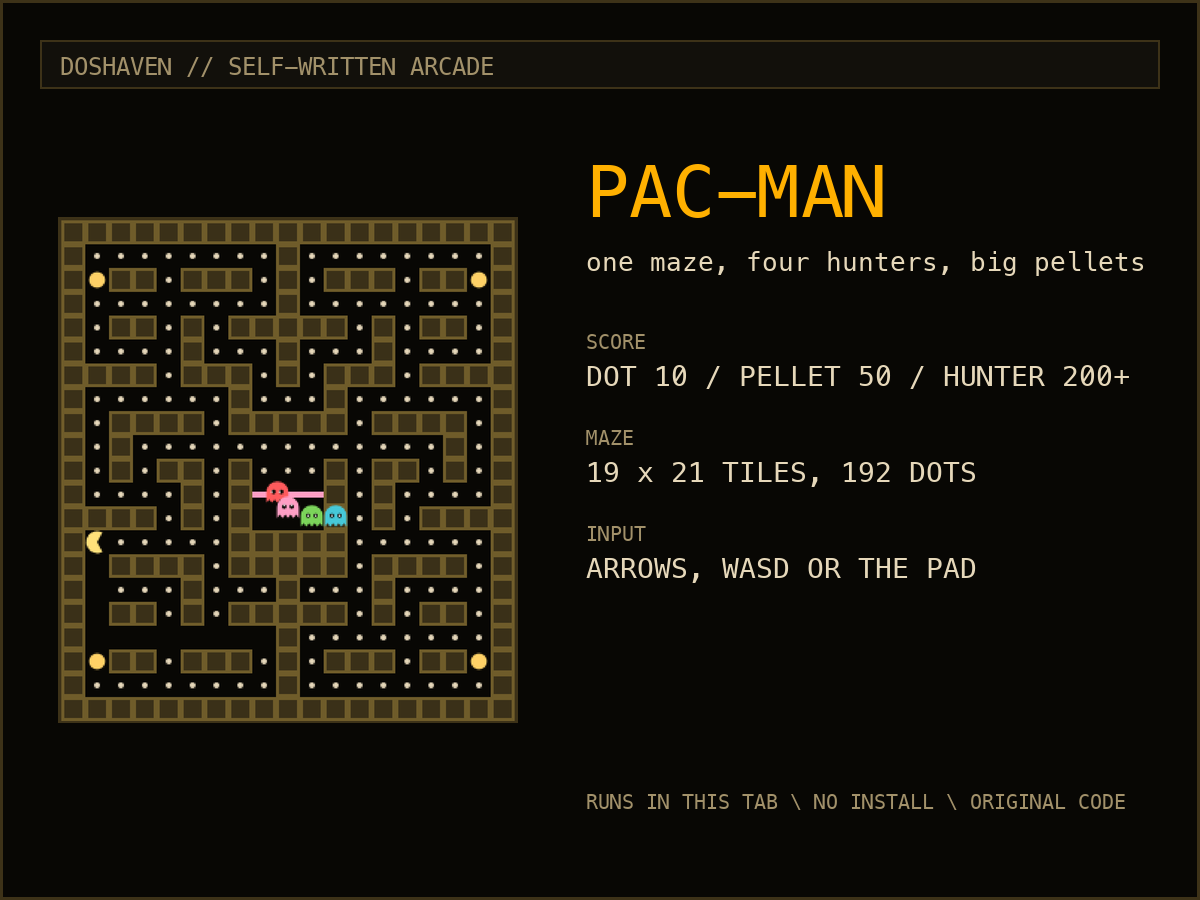 ORIGINAL
Pac-Man A 19x21 maze, four hunters and 192 dots, written for this site. Original code · runs in this tab
-
The Legend of Kage BYO FILEThe Legend of Kage Taito's 1985 ninja game — our emulator, your own NES file. EmulatorJS 4.2.3 · GPL-3.0
C:\> DIR /GAMES /NEW
New on the shelf
Recently added. Every card is a page with a game that runs in this tab.-
ARCHIVE
SkiFree Down a slope of trees and rocks, past the monster that wakes at 2,000 metres. The 1991 Windows ski game. Runs from the Internet Archive · nothing hosted here -
ARCHIVE
Digger Dig tunnels, grab the emeralds and drop gold bags on the Nobbins: Windmill Software's 1983 IBM PC classic. Runs from the Internet Archive · nothing hosted here -
ARCHIVE
Alley Cat Jump the fence, dodge the dog and the broom, and clear the rooms of a strange house: Bill Williams' 1984 IBM PC classic. Runs from the Internet Archive · nothing hosted here -
ARCHIVE
The Oregon Trail Buy the oxen, watch the rations, ford the rivers and hope nobody gets dysentery: MECC's 1992 Deluxe edition. Runs from the Internet Archive · nothing hosted here -
SHAREWARE
Raptor: Call of the Shadows Nine missions of air and ground targets, a boss to bring down, and money for weapons between waves. Apogee's 1994 shooter. Runs from the Internet Archive · nothing hosted here -
SHAREWARE
Jill of the Jungle Run, jump and swing a dagger through forests and caves, and turn into a bird, a fish or a frog. Epic MegaGames' 1992 platform game. Runs from the Internet Archive · nothing hosted here -
FREEWARE
One Must Fall 2097 Pilots in giant robots fight one on one, with special moves and prize money for upgrades. The 1994 DOS fighting game. Runs from the Internet Archive · nothing hosted here -
SHAREWARE
Bio Menace Snake Logan shoots through a city of mutants in a platform game built on the Keen engine. Apogee's 1993 shareware episode. Runs from the Internet Archive · nothing hosted here -
SHAREWARE
Commander Keen in Keen Dreams Keen throws flower pellets at an army of vegetables in id Software's lost 1991 episode, in its 1992 shareware release. Runs from the Internet Archive · nothing hosted here
The whole shelf, sorted by type: the retro arcade hub · the catalog on the homepage.
The other Doom-side page is Doom Browser, which runs Freedoom Phase 1. Also on Doshaven: Duke Nukem 3D shareware, Wolfenstein 3D shareware, and the free data behind both Doom pages on the Freedoom page. For files and the original campaign: run your own WAD and play Doom 1993 online. Curious where the arcade-era design went? Start at the retro arcade hub.
C:\> TYPE COMMENTS.TXT